Trailers as you browse
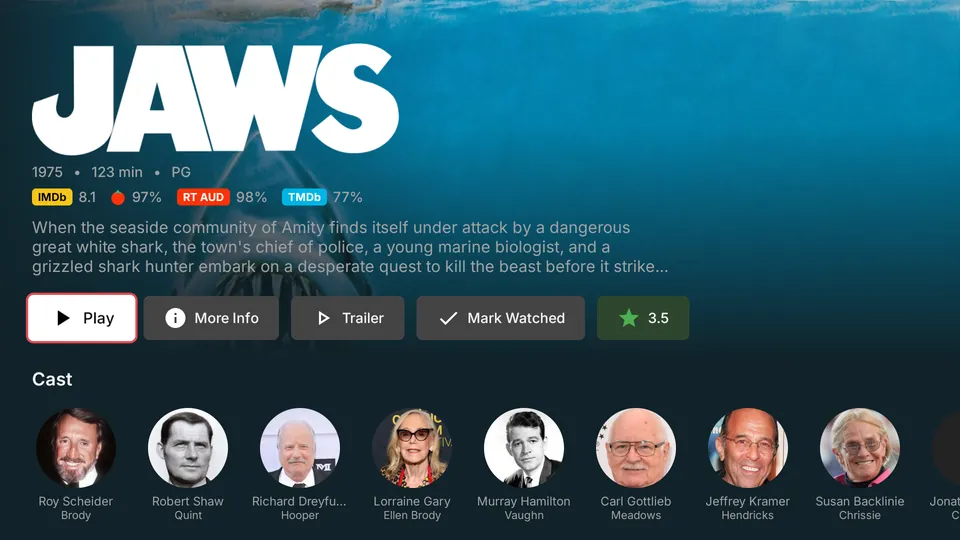
Settle on a title and its trailer fades in behind the logo – then a Trailer button on every detail page plays it full screen.
For Plex on Fire TV & Android TV
DizzyFlix presents your own movies and shows the way a streaming service would – trailers that play as you browse, title logos, ratings, actor pages and Skip Intro – all driven from your TV remote.
Coming soon to the Amazon Appstore
Every screen is designed for a TV ten feet away and a remote in your hand.
DizzyFlix plays straight from your own Plex Media Server – it just makes it look and feel the way it deserves to.
Settle on a title and its trailer fades in behind the logo – then a Trailer button on every detail page plays it full screen.
Big title logos, then rows for Continue Watching, Next Up, Just Added and your collections and playlists – without the same few titles repeated everywhere.
IMDb, Rotten Tomatoes and TMDb scores on every title, plus your own star rating, saved back to Plex.
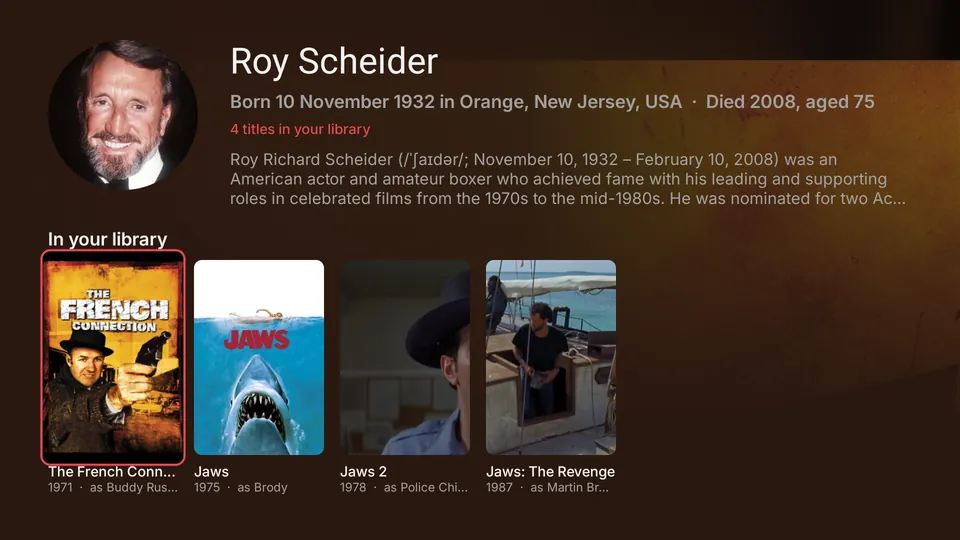
Press anyone in the cast for their biography and everything they’re in across your library, with the character they played.
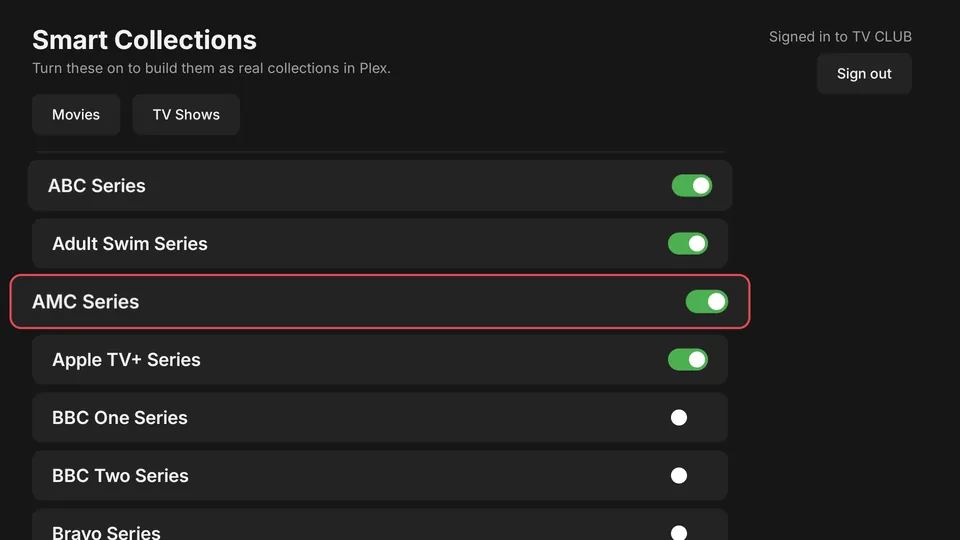
Genres, decades, countries, studios and networks – flip a switch and DizzyFlix builds a real, self-updating collection in Plex.
Skip intros and credits, jump by chapter, roll into the next episode – and get suggestions the moment a film ends.
Every screen is designed around the D-pad, and the play/pause, rewind and fast-forward buttons always do what you expect.
New additions appear on their own, and watch progress goes straight back to your server so you can pick up anywhere.
Your audio and subtitle choices are saved to Plex per title, so they’re already set next time – on any device.
Trailers
Rest on a film or show for a moment and its trailer quietly takes over the backdrop, right behind the title logo – just like the big streaming services. It fades back to the artwork when it ends.
Actor pages
Press anyone in the cast to open their page: portrait, biography, where they were born, and every film and show they’re in across your library – each labelled with the character they played.
Smart collections
Pick from over 100 ready-made collections and DizzyFlix creates them as real smart collections on your Plex server – they keep themselves up to date as you add more.
Your whole household
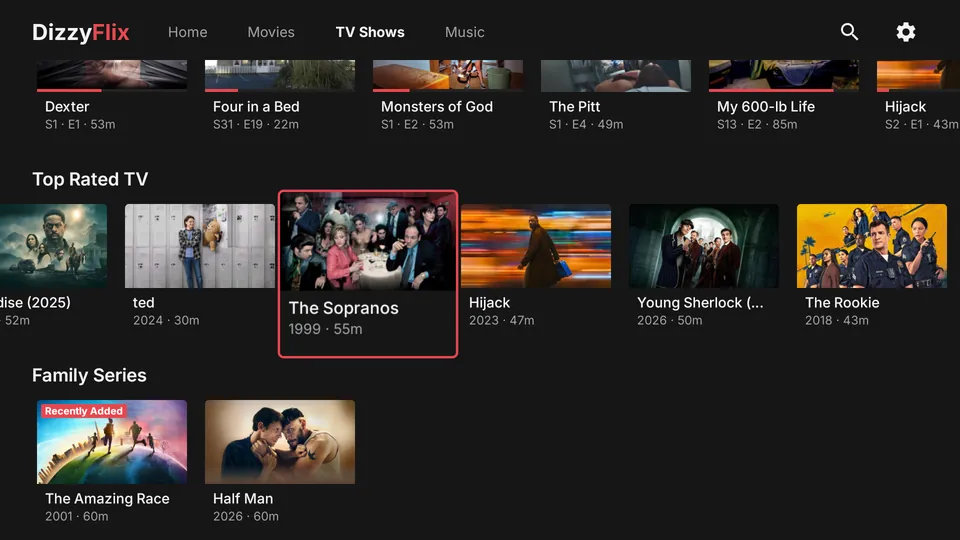
Watching from a server a friend or family member shared with you? DizzyFlix connects with the right access automatically and puts the server you own first if you have more than one.
No passwords to type with a remote.
Get it from the Amazon Appstore on your Fire TV, then open it from your apps.
On your phone or computer, go to plex.tv/link and type the short code on your TV, like V3QW.
DizzyFlix finds your Plex server on its own and your library is ready to browse.
No. DizzyFlix is an independent app that connects to your own Plex Media Server. It isn't affiliated with, endorsed by or sponsored by Plex, Inc.
No – DizzyFlix plays the media on your own Plex server, or one that's been shared with you. It doesn't provide or sell any content.
Amazon Fire TV devices and Android TV / Google TV devices running Android 7.0 or later.
Yes. You can browse and watch everything you've been given access to. Only the server's owner can change its smart collections – that's a Plex rule – so for you they're read-only.
Not to use DizzyFlix – browsing and watching at home works with a free Plex account. A few features depend on Plex Pass on the Plex side:
These are Plex rules that apply to every Plex app, not something DizzyFlix adds.
Trailers come from your Plex server's extras. Plex adds them to your library automatically when the server owner has a Plex Pass, and you can also add your own trailer files. Titles without one simply show their artwork.
DizzyFlix shows Skip Intro and Skip Credits wherever your Plex server has detected them. Intro and credit detection is a Plex Pass feature of Plex Media Server, so it needs the server owner to have a Plex Pass with detection turned on – and works on any title the server has analysed.
Very little. It stores your Plex sign-in on your TV and talks only to Plex and your own server. There are no ads, analytics or trackers. The full details are in the privacy policy.
Open Settings (the gear icon at the top right) and choose Sign out in the top-right corner.
DizzyFlix is coming soon to the Amazon Appstore for Fire TV.